
Is Coinbase Wallet Compatible with WalletConnect? Your Bridge to Web3
The answer is a resounding yes! Not only is it compatible, but WalletConnect integration is one of the most powerful features of Coinbase Wallet, acting as a essential bridge between your mobile wallet and the decentralized web.
This guide will show you exactly how it works, why it’s so useful, and how to connect safely.
What is WalletConnect? The “Internet of Wallets
Before we dive in, let’s quickly define WalletConnect. Think of it as a universal translator for the crypto world.
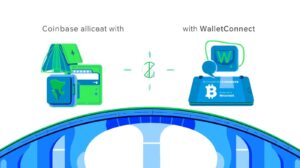
It’s an open-source protocol that creates a secure, encrypted link between a self-custody wallet (like Coinbase Wallet) and a dApp or another wallet
.
It allows you to interact with platforms on your desktop browser without compromising your private keys, which always remain secure on your mobile device.
How to Connect Coinbase Wallet with WalletConnect
Connecting is a simple process. Here’s a step-by-step breakdown:
- Find the Connect Button:On the dApp’s website (like OpenSea, Uniswap, or Aave), look for a “Connect Wallet” button.
- Choose WalletConnect:A pop-up will appear with a list of wallets. Select WalletConnec as your connection method.
- The QR Code Appears:The website will now display a QR code.
- Open Your Coinbase Wallet App: On your mobile device, open the Coinbase Wallet app.
- Tap the Scan Icon:In the top right corner of the app, tap the QR code scanner icon.
- Scan and Connect:Scan the QR code displayed on the dApp’s website. Your mobile wallet will show you the connection request, including which dApp is requesting access.
- Approve the Connection:Review the details and tap “Connect” or “Approve.”
That’s it! You’ve now successfully bridged your Coinbase Wallet to the dApp via WalletConnect. You can now sign transactions, swap tokens, and buy NFTs directly from your desktop, with all approvals happening securely on your phone.
Why This Compatibility is a Game-Changer.
The ability to use WalletConnect supercharges what you can do with Coinbase Wallet:
Access Thousands of dApps Connect to the entire ecosystem of Ethereum Virtual Machine (EVM)-compatible dApps across DeFi, NFTs, gaming, and more. Your options are nearly limitless.
Seamless Desktop Experience Browse dApps on your large desktop screen but approve all transactions with the security and convenience of your mobile device.
Connect to Other Wallets: WalletConnect also allows you to connect your Coinbase Wallet to other mobile wallets for peer-to-peer interactions.
Maintain Total Control Your private keys never leave your device. WalletConnect only creates a communication channel; it does not have access to your funds.
Crucial Security Tips for Using WalletConnect
While incredibly useful, it’s vital to use WalletConnet safely:
- Always Verify the dApp:** Only connect to reputable, well-known dApp websites. Beware of phishing sites that mimic real platforms.
- Check the Connection Details:** When you scan the QR code, your wallet will show you the name of the dApp requesting connection. Verify that it matches the site you are on.
- Disconnect After Use When you’re done using a dApp, manually disconnect your wallet. You can usually do this within the dApp’s interface or directly in your Coinbase Wallet under “Connected apps.”
- Never Share Your Secret Recovery Phrase WalletConnect will never ask for your recovery phrase. Anyone who does is trying to scam you.
Troubleshooting Common Connection Issues.
Stale QR Code If a connection fails, the QR code may have expired. Refresh the website to generate a new one and scan it again.
Outdated App Ensure your Coinbase Wallet mobile app is updated to the latest version from the App Store or Google Play Store.
Clear Cache: Try clearing your desktop browser’s cache if you encounter persistent issues.
The Bottom Line: Unlocking Web3
Is Coinbase Wallet compatible with WalletConnect? Absolutely yes. This integration is not just a feature; it’s the essential key that unlocks the full potential of your self-custody wallet, allowing you to explore the vast and exciting world of Web3 securely and seamlessly.
By following the simple steps and security tips outlined above, you can confidently connect your wallet to thousands of applications and take full control of your digital assets.
Ready to explore?Open your Coinbase Wallet, find a dApp you trust, and start connecting!
FAQ Section
Is WalletConnect free to use?
A: Yes, the WalletConnect protocol itself is free and open-source. You will still pay standard blockchain network fees (gas) for any transactions you approve.
Does WalletConnect work with the main Coinbase app?
No. WalletConnect is designed for self-custody wallets where you control your keys. The main Coinbase.com exchange app is a custodial account. You must use the separate **Coinbase Wallet** app for WalletConnect functionality.
Can I connect to multiple dApps at once?
Yes, you can be connected to multiple dApps simultaneously through WalletConnect. You can view and manage all these connections in your Coinbase Wallet settings.
What blockchains does it support?
Coinbase Wallet supports WalletConnect for all its compatible networks, including Ethereum, Polygon, Arbitrum, Optimism, and other EVM-compatible chains. The dApp must also support the network you want to use.