
Title: How to Unstake Solana (SOL) on Coinbase: A Simple Guide
Ready to unlock your staked SOL on Coinbase? Learn the simple steps to unstake your Solana and understand the waiting period before your funds are available.
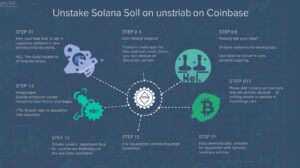
(Image: A simple graphic showing a padlock unlocking next to the Solana (SOL) logo)
Staking Solana is a great way to earn rewards on your investment. But there may come a time when you need access to your SOL for trading or withdrawing. The process of unstaking on Coinbase is straightforward, but it involves an important waiting period.
This guide will walk you through the steps to unstake your SOL and explain what to expect after you initiate the process.
Key Point: The Unstaking Waiting Period
Before you begin, it’s crucial to understand that unstaking is not instant. When you unstake your SOL, it enters a “deactivation” or “unbonding” period .
On the Solana network, this period typically takes 2-3 days
During this time, your SOL continues to be locked and does not earn staking rewards .
You cannot trade, sell, or transfer the SOL until this waiting period is over.
Once the deactivation period ends, your SOL will automatically appear in your main Coinbase account balance, ready to use.
Step-by-Step Guide to Unstake SOL
The process is simple and can be done in just a few taps on the Coinbase mobile app or website.
1: Navigate to Your Staked Assets
- Open the Coinbase app or log in to the website.
- Tap on the “Assets” tab. This shows your entire cryptocurrency portfolio.
- Scroll down or search for the “Staking” section. Here, you’ll see all the assets you are currently staking, including your Solana (SOL).
2. Select Your Staked SOL
- Find and tap on your Solana (SOL) staking balance. This will open the staking details page.
- On this page, you can see your total staked amount, your estimated rewards, and an option to manage your stake.
3: Initiate the Unstaking Process]
- Look for and tap the button that says “Unstake”.
- You will be prompted to enter the amount of SOL you wish to unstake. You can choose to unstake a portion or the entire amount.
- Coinbase will clearly display a reminder about the 2-3 day deactivation period**. Read this carefully.
- If you understand and agree, confirm the unstaking action.
What Happens After You Unstake?
Immediately: The amount you unstaked will disappear from your main staking balance and move to a “Pending” or “Deactivating” status. You can usually view this pending balance in the staking section.
During the 2-3 Day Wait: The SOL is being deactivated on the Solana blockchain. It is still locked and not earning rewards.
After the Waiting Period Your SOL will automatically be released into your Coinbase spot wallet. You will receive a notification, and the funds will be available to trade, send, or sell.
Pro Tips and Important Notes
No Fee to Unstake Coinbase does not charge a fee to unstake your SOL. The only “cost” is the missed staking rewards during the deactivation period.
Rewards are Handled Automatically When you unstake, any staking rewards you’ve earned up to that point are automatically added to your unstaked amount.
Check the Status: You can check the status of your unstaking request at any time by going back to the “Staking” section in your Assets.
Troubleshooting: I Don’t See the “Unstake” Button
If you can’t find the unstake option, ensure that:
You are looking in the correct “Staking” section of your Assets, not just your main SOL balance.
Your SOL is actually staked. If you simply bought SOL and hold it in your account, it is not staked and does not need to be unstaked.
Conclusion
Unstaking your Solana on Coinbase is a simple process that requires just a few clicks. The key takeaway is to plan ahead for the 2-3 day deactivation period . By understanding this timeline, you can manage your crypto assets effectively without any surprises.
Once the waiting period is over, your SOL will be freely available in your account for your next move.
Disclaimer This guide is for educational purposes only. Staking and unstaking periods are based on blockchain protocols and are subject to change. Always refer to the official Coinbase help center for the most current information.